Best In-Home Medical Alert Systems (2026)
An in-home medical alert system is the simplest, cheapest form of monitored protection: a base station that plugs into the wall and a waterproof button worn as a pendant or wristband. Press it and a 24/7 monitoring center answers within seconds. There's nothing to charge and no smartphone to manage, which is exactly why it's the right fit for seniors who spend most of their time at home, and the wrong fit for those who don't. This guide covers the best options for 2026 and the two practical choices that actually matter: landline vs. cellular, and whether to add fall detection.
Who it's for
Best for seniors who are mostly or always at home: limited mobility, rarely drive, or in assisted living. It is the cheapest monitored option and never needs charging. If your parent still drives or leaves home regularly, an in-home unit gives no protection outside the house. Look at a mobile GPS device or watch instead.
Our top picks
Best In-Home Systems
Bay Alarm Medical SOS Home
$27.95/mo landline · $34.95/mo cellular
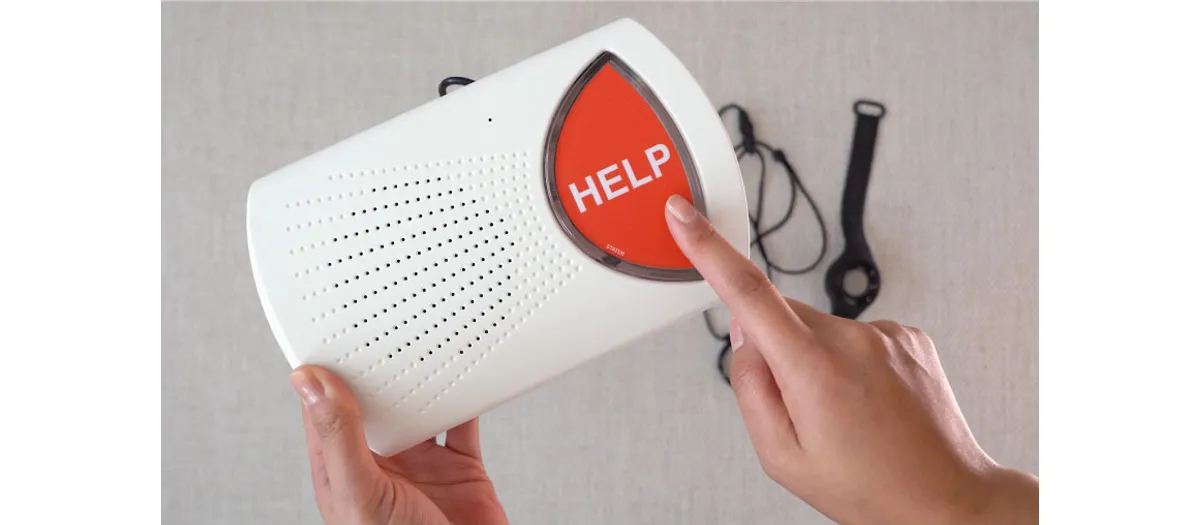
- Range:
- 1,000 ft from base
- Fall detection:
- Add-on (+$10/mo)
The lowest published monthly price of the major monitored brands, with free monitoring for a second household member (a one-time button fee). The landline option at $27.95 is the cheapest monitored in-home alert you can buy.
Read Bay Alarm Review →Medical Guardian MGHome
~$27.95–$34.95/mo (landline or cellular)
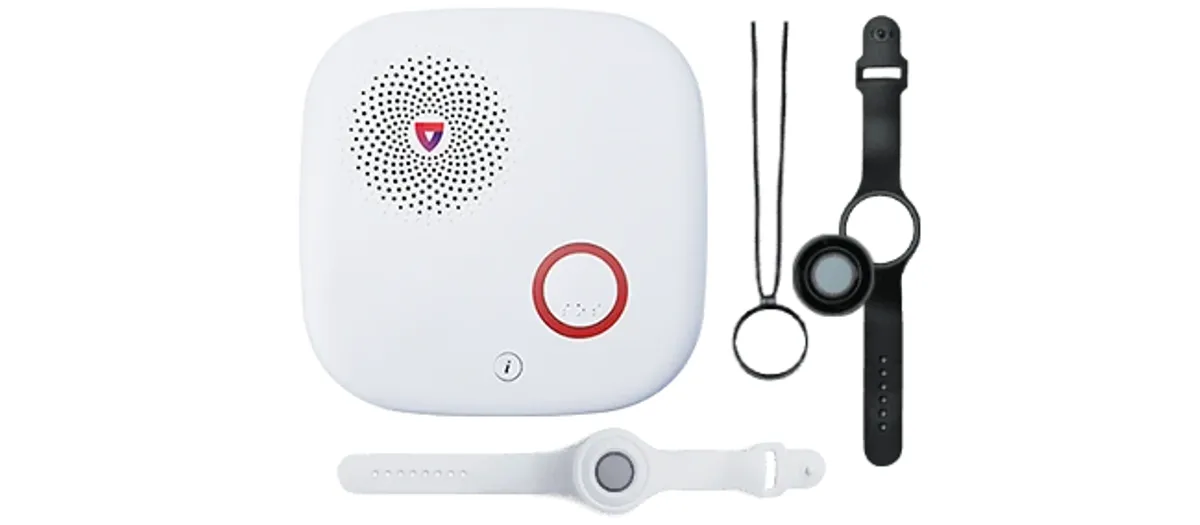
- Range:
- 1,300 ft from base
- Fall detection:
- Add-on (+$10/mo)
The longest range here and a choice of landline or cellular on the same plan. No contract, US-based monitoring, and the easiest upgrade path if the senior later needs a GPS device.
Read Medical Guardian Review →Lifeline HomeSafe with AutoAlert
$29.95/mo (+$15/mo AutoAlert)
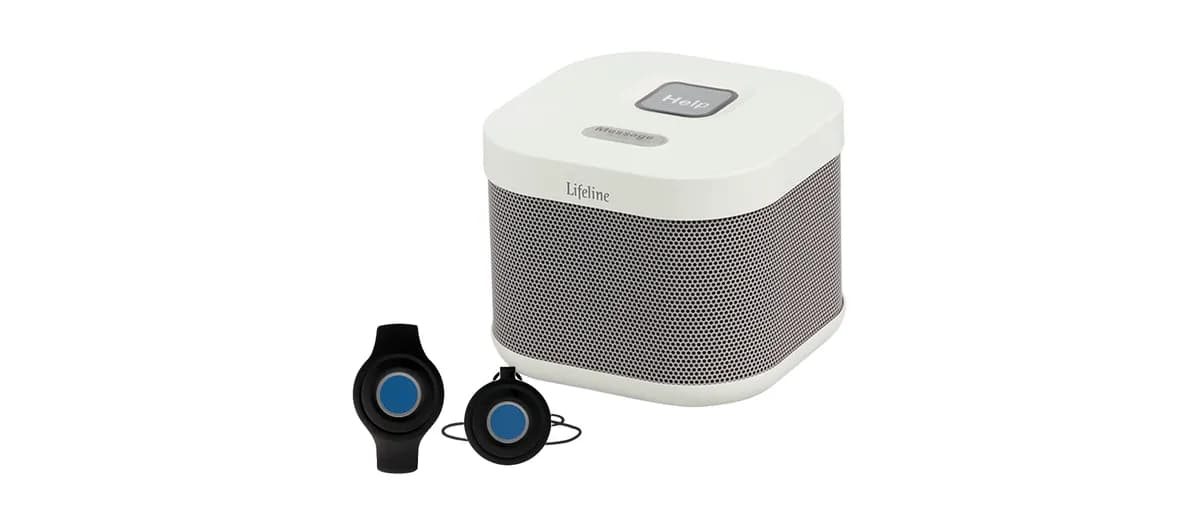
- Range:
- 800 ft from base
- Fall detection:
- Add-on (+$15/mo)
From the company that invented the medical alert (formerly Philips Lifeline). A familiar, comfortable pendant and a long track record, though its fall-detection add-on is the most expensive of the three.
See Fall Detection Guide →The comparison ledger
Side-by-Side Comparison
| System | Starting Price | Range | Connection | Fall Detection |
|---|---|---|---|---|
| Bay Alarm SOS Home | $27.95/mo | 1,000 ft | Landline or cellular | +$10/mo |
| Medical Guardian MGHome | ~$27.95–$34.95/mo | 1,300 ft | Landline or cellular | +$10/mo |
| Lifeline HomeSafe | $29.95/mo | 800 ft | Landline or cellular | +$15/mo |
| Life Alert (home) | $49.95/mo (est.) | 800 ft | Landline or cellular | Not available |
The key choice
Landline vs. Cellular: Which Base Station?
Every system above offers two versions of the base station. The right one depends entirely on the home, not the senior.
Landline base station
Plugs into an existing phone jack. Usually a few dollars cheaper per month (Bay Alarm's $27.95 plan is landline).
Choose if: the home has reliable landline phone service the senior intends to keep.
Cellular base station
Has a built-in cellular connection (AT&T or Verizon) and needs no phone line. Works during a landline outage.
Choose if: the home has no landline, weak phone service, or you'd rather not depend on it. Confirm cell coverage at the address.
The add-on question
Should You Add Fall Detection?
A standard button only works if the wearer is conscious and able to press it. Automatic fall detection closes that gap: the pendant calls the monitoring center on its own when it senses a hard fall. It adds about $10/month (Bay Alarm Medical, published) (Lifeline). Falls in the home most often happen in the bathroom and on stairs, and falls are the leading cause of injury death for adults 65+ (CDC). It's worth the add-on for anyone with a fall history, balance issues, or who lives alone. For a lower-risk senior with family nearby, the standard button may be enough.
Whichever you choose, the pendant must be waterproof and worn in the shower; that's where many serious falls happen. All three picks above are shower-safe.
For the lowest cost, Bay Alarm Medical's SOS Home at $27.95/month is the best value in monitored in-home protection. For the longest range and the easiest path to add GPS later, Medical Guardian's MGHome is the best overall. Skip Life Alert's in-home plan unless brand familiarity matters: at an estimated $49.95/month with a 3-year contract, it costs more than twice as much for comparable protection (see the full cost breakdown).
Questions we hear most
Frequently Asked Questions
What is an in-home medical alert system?
An in-home medical alert system uses a base station that plugs into a wall outlet, plus a wearable help button (pendant or wristband). When the button is pressed, the base station connects the wearer to a 24/7 monitoring center over a landline or built-in cellular connection. It only works within range of the base (typically 800 to 1,400 feet), so it's designed for seniors who spend most of their time at home.
What is the cheapest in-home medical alert system?
Bay Alarm Medical's SOS Home plan is the cheapest monitored in-home system at $27.95/month with a landline, or $34.95/month with cellular. Medical Guardian's MGHome runs about $27.95–$34.95/month. All are month-to-month with no contract.
Do in-home medical alert systems need a landline?
No. Most in-home systems now offer a cellular base station that works without a phone line, using AT&T or Verizon's network. A landline option is usually a few dollars cheaper per month if the home already has phone service. Cellular is the better choice if the home has no landline or unreliable phone service.
How far does an in-home medical alert reach?
Range from the base station is typically 800 to 1,400 feet, depending on the system and the home's construction. Medical Guardian's MGHome reaches about 1,300 feet, Bay Alarm about 1,000 feet. That usually covers the whole house and yard, but thick walls and large lots can reduce it. Test the far corners after setup.
Do in-home systems have fall detection?
Yes, as a paid add-on. A fall-detection pendant automatically calls the monitoring center when it senses a hard fall, even if the button isn't pressed. It costs about $10/month with Bay Alarm Medical, which publishes the price. Several providers, including MobileHelp and ADT, charge for it without publishing the figure where we can verify it, so confirm before you order. For seniors with a fall history or who live alone, it's usually worth it.
In-home or mobile: which does my parent need?
Choose an in-home system if your parent spends nearly all their time at home, rarely drives, or has limited mobility (it's cheaper and the base station never needs charging). Choose a mobile GPS device if they're still active and leave home regularly, since an in-home unit offers no protection outside its range.
Next step
See the cheapest monitored in-home plan
Bay Alarm Medical's SOS Home is the lowest-cost monitored in-home option: from $27.95/mo (landline) or $34.95/mo (cellular), no contract, free monitoring for a second household member (one-time button fee).
See Plans at Bay Alarm MedicalIf you buy through this link we may earn a commission; it never changes our ratings.
Related reading
Sources & references
- Bay Alarm Medical: SOS Home plans & pricing
- Medical Guardian: MGHome
- Lifeline: HomeSafe (formerly Philips Lifeline)
- CDC: Older Adult Falls Data
- CDC STEADI: Falls Prevention
Pricing and plan details are drawn from each provider's official website and verified periodically; confirm current rates at the point of purchase. Statistics are cited from the sources above.